
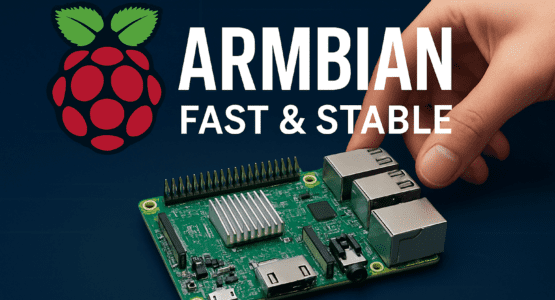
Discovering the Power of Armbian Raspberry Pi OS: A Game-Changer for SBC Enthusiasts
Ever wondered why your Raspberry Pi feels sluggish sometimes, even on lighter tasks? That’s where Armbian Raspberry Pi OS comes in. This lightweight, Debian-based operating system is custom-built for single-board computers like the Raspberry Pi, delivering snappy performance and a minimal footprint that makes your hardware sing.
Picture this: you’re setting up a home server or tinkering with a media streaming project. With Armbian Raspberry Pi OS, the system boots up in seconds, the desktop loads without a hitch, and everything just feels responsive. It’s not bloated like some alternatives—it’s optimized for ARM architecture, keeping resource usage low so even older Pi models punch way above their weight. No more waiting around for heavy processes to chug along.
Why Choose Armbian Raspberry Pi OS Over the Usual Suspects?
Unlike Raspberry Pi OS, which zeroes in on Pi hardware alone, Armbian Raspberry Pi OS casts a wider net. It supports a ton of boards—Raspberry Pi models from the originals to the latest Pi 5, plus BeagleBone, Odroid, and more. This broad compatibility means if you’re juggling multiple SBCs, you don’t waste time hunting for custom images. One OS, many devices, done.
Setup? Dead simple. Download a ready-to-run image, flash it to your microSD card using something like the Raspberry Pi Imager, and you’re in. SSH and DHCP are enabled out of the box, so connecting to your network or turning your Pi into a hotspot takes minutes, not hours. And that built-in configuration tool? It’s a powerhouse. Tweak CPU speeds, manage updates, disable IPv6 for APT, or set up IR support with just a few clicks. Who needs endless command-line fiddling when you’ve got this?
Desktop Flexibility That Fits Your Style
Whether you’re a CLI purist or prefer a graphical interface, Armbian Raspberry Pi OS has you covered. Go for the server variant for headless efficiency, or pick a desktop edition with XFCE, MATE, LXQt, Cinnamon, or even KDE Plasma on newer builds. XFCE keeps it light and quick—perfect for low-power setups—while Cinnamon or Plasma adds that polished look without the bloat.
Pre-installed apps make life easier too. Fire up Firefox or Chromium for browsing, GIMP for editing, LibreOffice for docs, or Thunderbird for email. Transmission’s there for torrents, and it’s all organized neatly. I remember flashing it on my Pi 4 with 8GB RAM; the Cinnamon desktop felt buttery smooth, even on nightly builds. No stutters, no drama.
But it’s not just about the flash. Stability is key here. Regular updates and long-term support patch vulnerabilities fast, so your always-on projects—like Docker containers for Jellyfin media servers—run reliably for days or weeks. Crashes? Rare. And since it’s open-source, the full code is yours to poke at, tweak GPIO pins, or dive into networking setups.
Community and Resources: Your Safety Net
Don’t sleep on the community behind Armbian Raspberry Pi OS. Active forums buzz with help, detailed docs break down everything from hardware detection to advanced tweaks, and tutorials guide you step-by-step. Need to control relays via GPIO or spin up a Node.js webserver? There’s a thread for that. It’s that vibrant support that keeps things moving forward, especially as they refine tools for Pi 5 and beyond.
Performance-wise, it shines on lower-end gear. Where other OSes lag, Armbian keeps things smooth—ideal for media streaming, home automation, or even running Docker media servers without draining your Pi’s battery life. And for multi-board tinkerers, it’s a time-saver. No custom hacks required; it handles peripherals seamlessly.
Of course, if you’re deep in the Raspberry Pi ecosystem, options abound. But Armbian stands out as an underrated gem because it’s less about gimmicks and more about getting stuff done efficiently. It’s transparent, collaborative, and free—everything you want in an open-source project.
Stability for long-haul runs, quick configs for rapid prototyping, and that responsive zing turn everyday projects into seamless wins. Hobbyists love the approachability; pros dig the power. Tired of bloated systems hogging your Pi’s potential? Armbian Raspberry Pi OS delivers a fresh, capable alternative that truly maximizes your hardware.
Have you tried flashing Armbian on your Raspberry Pi yet? Once you do, that speed and simplicity might just hook you for good.
Check out more AI and Tech related Articles here.
