
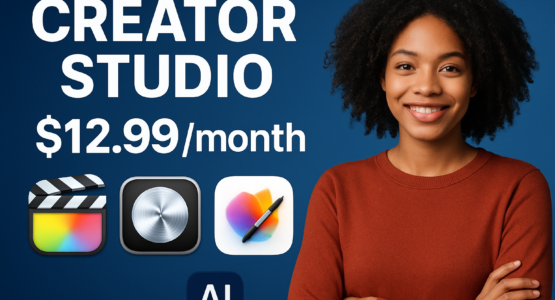
So, Apple finally did it. They’ve bundled all their creative and productivity apps into one shiny, new subscription service called Apple Creator Studio. For years, we’ve been picking and choosing between Final Cut Pro, Logic Pro, and the iWork suite, but now it’s all under one roof. And honestly? It’s about time.
Think about it. If you’re like me, you’ve probably got a messy collection of Apple apps scattered across your devices. Some you bought years ago, others you’ve been meaning to try but couldn’t justify the individual price tag. Well, Apple just made that decision a whole lot easier. The service brings together everything from the iLife and iWork families, and it works across macOS, iOS, and iPadOS. That’s right—no more wondering if your iPad project will play nice with your Mac.
What’s in the Box?
The subscription will set you back $12.99 per month or $129 per year. That might sound like a lot at first, but let’s break down what you’re actually getting. We’re talking Final Cut Pro, Logic Pro, Motion, Compressor, MainStage, Pages, Keynote, Numbers, and—here’s the kicker—Pixelmator Pro. Yes, Pixelmator Pro is finally making its way to the iPad with this bundle. For anyone who’s been using a Mac for photo editing, that’s a big deal. It’s like they read our minds and said, “Here, have everything.”
But wait, there’s more. Apple is also throwing in some seriously clever AI-powered tools. Logic Pro now has new Session Players that feel less like robotic accompaniment and more like actual bandmates. Final Cut Pro gets Montage Maker, which sounds like it could save editors hours of tedious timeline work. And the iWork apps—Pages, Keynote, and Numbers—are getting intelligent document enhancements. The best part? Apple insists these tools are there to help, not replace you. It’s a quality-of-life upgrade, not a creativity killer. And honestly, I’m here for that philosophy.
Cross-Platform Harmony
One of the biggest selling points here is the seamless cross-platform performance. You can start a video edit on your Mac, tweak it on your iPad during your commute, and polish it on your iPhone while waiting in line for coffee. The friction is almost nonexistent. Apple has been pushing this ecosystem integration for years, but Apple Creator Studio feels like the first time it’s truly come together. It’s not just about having the same apps on different screens—it’s about them talking to each other without you having to jump through hoops.
For students and educators, there’s a substantial discount on the table. Apple is also offering free trials for eligible customers, so you can kick the tires before committing. That’s a smart move, considering how many of us are wary of yet another subscription in our lives. But if you’re already using Apple’s ecosystem for work or school, this bundle might just pay for itself within a few months.
Is It Worth It?
Let’s be real for a second. If you already own Final Cut Pro and Logic Pro individually, you might be wondering if this is just another expense. But here’s the thing: Apple Creator Studio gives you access to the full suite without having to buy each app separately. Pixelmator Pro alone would cost you a chunk of change, and now it’s included. For professionals who need a versatile toolkit, this subscription is a no-brainer. For casual users? Well, it depends on how much you value having everything in one place.
Apple officially launched the service on January 28, 2026, and it’s available now. The inclusion of Pixelmator Pro is a standout addition, rounding out the creative toolkit with a powerful image editor that rivals some of the best in the business. It’s a strategic move—Apple is consolidating its offerings into a single, affordable subscription that appeals to both pros and everyday users. By weaving AI tools into the fabric of these apps, they’re making complex tasks more efficient without stripping away the human touch. And that’s a balance not every company gets right.
So, if you’ve been on the fence about diving deeper into Apple’s ecosystem, Apple Creator Studio might just be the push you need. Whether you’re editing a film, composing a track, or just trying to make your school presentation look less like a PowerPoint from 2005, this bundle has you covered. And for those of you who love keeping up with the latest in tech, here’s a closer look at the announcement.
Check out more AI and Tech related Articles here.
