
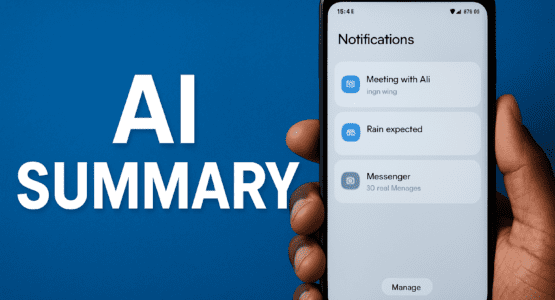
Android iOS AI Notification Summaries: Google’s Take on a Controversial Feature
Android devices, particularly the latest Pixel phones, are now diving headfirst into Android iOS AI notification summaries with features that feel like a direct nod to iOS 18’s polarizing updates. These smart tools promise to wrangle your endless stream of alerts by boiling down lengthy messages into snappy overviews and neatly bundling similar ones together. If you’ve ever felt buried under notifications, this could be a game-changer—or just another layer of tech gimmickry.
Picture this: your phone’s notification shade lighting up with an AI sparkle icon on summaries from apps like Google Messages or WhatsApp. Long group chats that used to demand endless scrolling? They’re now condensed into key highlights you can glance at in seconds. Just tap to expand for the full scoop. It’s rolling out via Android 16 QPR2 on Pixel 9 and 10 series, making it easy for users to dip in without much hassle.Android’s version builds on this by adding a notification organizer that automatically sorts and quiets low-priority stuff—like promotions, news, or social pings—into tidy bundles.
How Android iOS AI Notification Summaries Actually Work
Let’s break it down. The Android iOS AI notification summaries feature grabs those marathon threads and shrinks them into bite-sized intel, complete with an eye-catching AI star to flag it. Meanwhile, the organizer kicks in by grouping alerts under categories such as Promotions, News, Social, and Suggested. These land in the silent section of your shade, with stacked app icons for quick expansion. It’s enabled by default on supported Pixels, but you can tweak it right in Settings > Notifications. Choose which bundles to activate, opt apps in or out, or even set them to always expand.
I’ve seen it in action on a Pixel—those bloated lists suddenly feel manageable. No more boiling over from a flood of unread alerts after leaving your phone idle for hours. Google says it’s all about staying focused on what matters, and early tests back that up. However, it’s starting with English language support in spots like the US, UK, Canada, Australia, Germany, and Japan. Rollouts are gradual, so a restart might nudge it along if it’s not there yet.
On the flip side, this isn’t entirely new territory. Apple beat Google to the punch with iOS 18’s Android iOS AI notification summaries, but it hit major snags. Users flipped out over wild inaccuracies—think Instagram stories twisted into bizarre claims or security alerts mangled into nonsense. The backlash was so fierce that Apple yanked the feature temporarily, only bringing it back later with big disclaimers about potential errors. Now, with Android entering the fray, you can’t help but wonder: will Google’s version dodge those pitfalls?
Privacy and Smarts: What Sets Android’s Approach Apart
Privacy hawks, take note—Google insists these Android iOS AI notification summaries and organizers run fully on-device using Gemini Nano. No data zips off to distant servers, which sidesteps the cloud controversies that dogged iOS early on. That’s a smart move, especially after folks worried about personal chats getting processed remotely. With Android’s robust AI toolkit, the summaries seem sharper too, handling group chats and long threads without as many reported flubs.
But does anyone really need this? Android notifications already group and silence pretty well out of the box. Why slap AI on top if the basics do the job? It’s a fair question, especially since Android rarely drowns users in chaos like some other platforms. The organizer shines for cluttered shades, stacking icons for effortless peeks, and summaries deliver glanceable gold without full reads. Still, after iOS’s rocky road, skepticism lingers on accuracy in the wild.
Think about your own phone for a second—do those promotional blasts or news blasts truly overwhelm you, or are they easy to swipe away? For heavy users juggling family chats, work pings, and endless social noise, Android iOS AI notification summaries could cut the tedium. Early Pixel adopters report tamer shades and quicker triage, but it’s limited to flagships for now. As it spreads, we’ll see if it builds trust or fades into obscurity.
Furthermore, customization keeps it user-friendly. Toggle summaries on or off, pick chatting apps, and fine-tune organizer categories. It’s not perfect—some wish for smarter AI training on emails or newsletters—but it’s a solid step toward less distraction. Google’s betting on on-device magic to outpace Apple’s stumbles, and initial vibes suggest promise. Whether it sticks around or gets tweaked depends on real-world feedback.
In addition, these updates tie into broader Android 16 perks like lock screen widgets and better digital wellbeing, but the Android iOS AI notification summaries duo steals the show for notification warriors. Time will reveal if they truly declutter lives or just add flashy icons to the mix. Either way, it’s clear Google’s chasing those iOS trends while playing to Android’s strengths.
Check out more AI and Tech related Articles here.
