
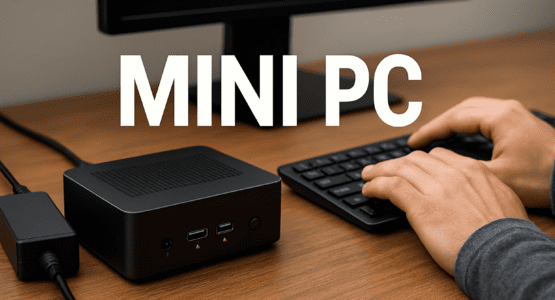
So, you’re thinking about swapping that bulky desktop tower for something sleek and modern. Mini PCs have been getting a lot of buzz, and it’s easy to see why. They promise a clean, minimalist desk, free from the hulking case of a traditional computer. But let’s be real: the marketing shots and spec sheets only tell part of the story. The true test comes from daily driving a mini PC. After the initial “wow, it’s so small” wears off, you start to notice the little things—the practical realities of living with one as your main machine. And trust me, some of those realities can be a bit of a surprise.
The Not-So-Minimalist Power Situation
First up, let’s talk about power. One of the biggest shocks for many new mini PC owners isn’t the performance—it’s the power brick. You envision this tiny, self-contained cube on your desk. What you often get is that cube plus a surprisingly large external power adapter that’s about as elegant as a brick. Suddenly, your quest for a clean setup hits a snag. You now have to find a home for this chunky adapter, and the cable running from it to your PC adds to the clutter you were trying to eliminate. That beautiful, minimalist aesthetic? It can vanish pretty quickly behind a tangle of wires you didn’t anticipate.
The Great Port Squeeze
Then there’s connectivity. On paper, the port selection might look perfectly adequate. Two USB-As, an HDMI, maybe an Ethernet port. But in the real world of daily driving a mini PC, those ports get occupied faster than you’d think. Monitor, keyboard, mouse, external drive, webcam, microphone… you get the idea. Before you know it, you’re out of slots.
A particularly frustrating limitation on many budget or older models is the complete absence of modern USB Type-C ports. In an era where phones, tablets, and even some monitors use USB-C, being forced to rely on a dongle or adapter feels like a step backward. It adds cost, complexity, and another point of potential failure to your setup. Even well-equipped models like the Mac Mini, which boast multiple Thunderbolt/USB-C ports, can feel surprisingly constrained. Try live streaming, for instance. Between a capture card, an external audio interface, a webcam, and external storage, you’ll burn through those ports in no time, leaving you wishing for just one more.
When the Heat Is On: Performance Realities
This brings us to a critical, and often glossed-over, aspect: thermal performance. The very compact design that makes these machines so appealing is also their greatest thermal constraint. There’s simply no room for large heatsinks or robust cooling fans. During light web browsing or document editing, this isn’t an issue. But push the system? Start a video render, load up a complex spreadsheet, or dive into a gaming session?
The internal temperatures can climb quickly. To protect its own components, the system will engage in thermal throttling. It’s a safety mechanism where the processor deliberately slows itself down to reduce heat. So, that blazing-fast speed you saw in a 30-second benchmark? You might not see it during an hour-long 4K editing session. The performance you get can literally change with the temperature of the chip. For power users, this thermal dance is a major consideration when daily driving a mini PC for real work.
In fact, as highlighted in a recent discussion, some users find that while a mini PC is fantastic for media consumption or light tasks, it might fall short when pushed for sustained, heavy workloads. The form factor inherently limits its ability to dissipate heat over long periods.
The Long-Term Upgrade Dilemma
Finally, we have to think about the future. One of the best parts of a traditional desktop is its upgradability. Need more RAM? Pop in a new stick. Want faster storage? Swap out the SSD. With most mini PCs, that flexibility is the first thing to go. The small form factor and frequent use of proprietary components make upgrading a headache, if not impossible.
To save space, RAM is often soldered directly onto the motherboard. Storage might be limited to a single M.2 slot, with no room for a 2.5-inch drive. What you buy on day one is, in large part, what you’re stuck with for the life of the machine. This makes your initial configuration choices incredibly important and can shorten the useful lifespan of the PC if your needs evolve. You can’t just easily boost its capabilities down the line.
Weighing the Trade-Offs for Your Daily Drive
So, what’s the verdict? Choosing a mini PC is all about understanding and accepting trade-offs. You absolutely gain an incredibly tiny footprint and a potentially gorgeous, tidy desk setup. The space savings are real and valuable.
But in exchange, you may be compromising on sustained thermal performance, effortless future upgrades, and seamless, dongle-free connectivity. For someone who just needs a machine for web browsing, streaming video, and office applications, these compromises might be totally negligible. The benefits will far outweigh the downsides.
However, for a power user, a creative professional, a gamer, or anyone planning to keep their system for many years, these hidden aspects of daily driving a mini PC are absolutely essential to weigh. It’s not that mini PCs are bad—far from it. They’re brilliant for specific use cases. But going in with a clear-eyed view of what daily life is really like, beyond the sleek marketing, will ensure you make the right choice for your desk and your workflow.
Check out more AI and Tech related Articles here.
