
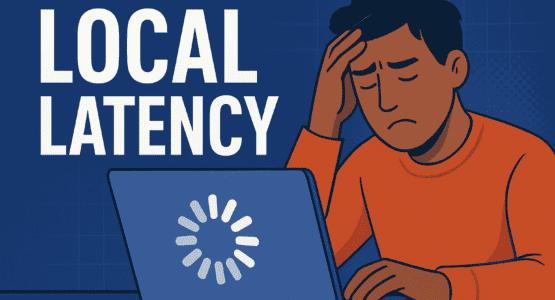
Ever been lulled into a false sense of security by how fast your app runs on your own machine? You hit save, refresh the browser, and everything updates in a blink. It feels amazing, right? That’s the seductive trap of localhost testing, and it’s a trap that has ensnared countless developers. We get comfortable, we see those near-instantaneous responses, and we start to believe our application is ready for the world. But then it ships, and users on slower connections are greeted by that dreaded, endlessly spinning loader—a phenomenon so notorious it’s earned the grim nickname: the Spinner of Death.
Why Your Localhost is Lying to You
Let’s break down why this happens. When you test on localhost, you’re operating in a digital vacuum. Your code is talking to itself over your machine’s internal loopback interface. There’s no real network hop, no physical distance for data to travel, and absolutely zero competition for bandwidth. It’s a pristine, idealised environment that bears little resemblance to the chaotic reality of the internet. Your app might feel snappy, but that’s because it’s not facing the delays, packet loss, or congestion that are a daily fact of life on actual networks. An API call that returns in 5ms locally could easily balloon to 500ms or more for a user halfway across the globe on a mobile network. That’s a hundredfold increase you never saw coming! This discrepancy isn’t just a minor oversight; it’s a fundamental flaw in how we often gauge performance, leading to a dangerous false confidence.
Think about it: you’d never test a car’s handling only in an empty parking lot. You’d take it on bumpy roads, in the rain, and in traffic. So why do we test our software in such an isolated bubble? The consequence of this oversight is that performance issues remain completely hidden until they’re live in production, staring your users in the face. That beautiful animation sequence you built? It might be the very thing that triggers the Spinner of Death for someone with limited bandwidth.
Moving Beyond the Bubble: Simulating the Real World
So, how do we escape this trap? The answer is to intentionally break our perfect local environment. We need to build testing practices that mirror production as closely as possible, and that means deliberately introducing the imperfections of a real network. One of the most powerful and straightforward strategies is to incorporate network throttling tools directly into your development workflow.
Modern browsers come with developer tools that allow you to simulate various network conditions. You can artificially cap your bandwidth to mimic a slow 3G connection, add significant latency to simulate a distant server, and even introduce packet loss to represent a spotty Wi-Fi signal. Suddenly, that snappy local app might start to feel decidedly sluggish. You’ll see which assets are too large, which API calls are unoptimised, and where your loading states are lacking. It’s a humbling and absolutely essential exercise.
Another effective technique is using system-level proxies. Tools like Charles Proxy or mitmproxy can sit between your application and the internet, intercepting all traffic. They allow you to apply granular network rules and constraints, giving you a terrifyingly accurate picture of how your app will behave “in the wild.” Watching your real API calls slow to a crawl under simulated adverse conditions is far more valuable than any green checkmark in a local unit test. For a deeper dive into the technical nuances of this localhost illusion, I found the discussion in this article on HackerNoon to be incredibly insightful.
The High Cost of Ignoring Network Realities
Ignoring this aspect of testing isn’t just a technical debt; it’s a direct business risk. The potential consequences are serious and tangible. Undetected performance issues lead directly to a poor user experience. In an age where attention spans are short and alternatives are just a click away, increased bounce rates are a guaranteed outcome. A feature that worked perfectly in your lab can become the primary point of frustration for your users, damaging your application’s reputation and credibility. That innocuous-looking spinner isn’t just a loading icon; it’s a symbol of user frustration in the making. Every second of extra latency can mean lost engagement, lost conversions, and lost trust.
Therefore, a comprehensive testing strategy must account for the entire spectrum of network conditions. You need to know how your app behaves not just on high-speed fibre, but also on congested public Wi-Fi, fluctuating 4G, and legacy 3G networks. This proactive approach transforms application reliability from a hopeful local illusion into a consistent, verifiable reality for every single user, regardless of their connection. The goal is to catch these problems while the code is still on your machine, where fixes are cheap and fast, not after deployment where they are costly, stressful, and publicly visible.
In the end, the message is clear and urgent. We have to ditch the false comfort of localhost latency. It’s a comforting lie. By adopting more realistic, network-aware testing practices—by willingly making our own development experience worse—we can build applications that are truly performant and resilient. We can banish the Spinner of Death and deliver a smooth, reliable experience that holds up no matter what the internet throws at it. The path to robust software isn’t found in perfect isolation, but in embracing and simulating beautiful, messy reality.
Check out more AI and Tech related Articles here.
