
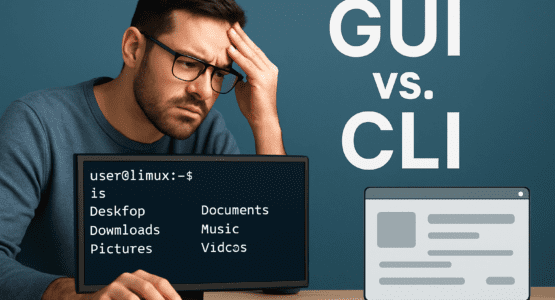
Is the **Linux Terminal** Really Necessary for Everyday Use?
Let’s be honest—plenty of Linux users go about their daily routines without ever cracking open the Linux Terminal. Whether it’s firing up the web browser, shuffling files around, tweaking documents, hooking up USB drives, or slapping on new apps, the graphical user interface (GUI) handles it all with a few clicks. It’s visual, intuitive, and pretty forgiving if you mess up a drag-and-drop or two. Why wrestle with commands when you can just point and click?
That old myth that the Linux Terminal is always quicker? Yeah, it’s mostly bunk for the average person. Sure, if you’re a grizzled vet who dreams in bash scripts, maybe piping a few commands feels like lightning. But for most of us, fumbling through syntax, flags, and man pages eats up more time than it saves. GUIs let you poke around menus, see previews of your photos or videos before renaming, and open that PDF without typing a single letter. No memorization required—just exploration.And honestly, even pros admit the terminal isn’t the speed demon it’s hyped to be for routine stuff.
When the **Linux Terminal** Actually Shines
Don’t get me wrong—the Linux Terminal has its moments. It steps up big time where GUIs stumble or flat-out fail. Think about those bleeding-edge dev builds, obscure utilities, or distro-specific packages that only live in repos or come with cryptic manuals. GUI package managers might draw a blank, but a quick apt install or dnf search gets you there reliably.
Remote admin via SSH? That’s Linux Terminal territory all the way. Low-bandwidth connections over satellite or spotty mobile data laugh at graphical overhead—CLI keeps things lean, portable, and rock-solid. No pixel-pushing lag, just pure control. Ever tried SSH-ing into a server from your phone? GUI apps would choke; terminal sails through.
Then there’s the deep dive into system guts. Commands like journalctl, dmesg, or systemctl status spill the beans on logs and services with context that GUI dashboards often skim over. Want the full story on why your Wi-Fi hiccuped? Terminal delivers the unfiltered truth. And automation? Shell scripts, cron jobs, aliases, and functions collapse hours of clicking into one killer command. Repeat a backup sequence daily? Script it once in the Linux Terminal, and you’re golden.
Why GUIs Win for Most Folks on Linux
Still, let’s face it: the vast majority stick to GUIs because they’re dead simple. Modern Linux desktops like Ubuntu, Linux Mint, Pop!_OS, or Fedora have evolved into slick machines. You can run them for years—updates, backups, driver tweaks—all through polished graphical tools. The Linux Terminal gathers dust in the background, out of sight and out of mind.
Visual work screams for GUI feedback. Fire up GIMP for photo cropping, Inkscape for vector layouts, or LibreOffice Writer for docs with tables, images, and funky formatting. Changes pop on screen instantly—no blind typing and hoping for the best. It’s like having a live canvas versus sketching in the dark.
For newbies diving into Linux, the GUI is a lifeline. It slashes confusion, offering drag-and-drop simplicity over command-line puzzles. Why intimidate someone with sudo pacman -Syu when Software Center does it with a smiley icon? The Linux Terminal shines in niches, but daily grinding? GUI’s ease proves it’s often the smarter pick.
Balancing **Linux Terminal** and GUI: It’s About You
Here’s the thing—neither rules supreme; it hinges on your workflow. Seasoned sysadmins love the Linux Terminal‘s raw power, scripting prowess, and low resource hogging. It’s lightweight, automation-friendly, and gives god-mode control that GUIs can’t touch. But for everyone else, GUIs cut the learning curve, multitask effortlessly, and deliver that satisfying visual punch.
Resource hogs? GUIs gulp RAM and CPU, sure, especially on old hardware. They can bury commands in menus, slowing power users down. Yet they’ve gotten smarter—web-based centralized configs now rival CLI speed for fleets of devices. And troubleshooting? Visual health checks spot issues faster than scrolling text dumps sometimes.
I’ve seen friends swear by full GUI life on Mint, only dipping into the Linux Terminal for that one stubborn package. Others tunnel through CLI on servers, never touching a desktop. Which camp are you in? If you’re tweaking images or writing reports, GUI’s your jam. Battling logs or scripting deploys? Fire up that terminal.
Ultimately, Linux’s beauty lies in choice. Mix ’em as needed—the Linux Terminal waits patiently for its spotlight, while GUIs handle the grunt work with flair. No need to pick sides; blend for maximum efficiency.
Check out more AI and Tech related Articles here.
